> ## Documentation Index
> Fetch the complete documentation index at: https://docs.dojima.foundation/llms.txt
> Use this file to discover all available pages before exploring further.
# Build Project
## Home Page Options
On the home page, users have two primary options to start a project:
1. **Create a New Project**
2. **Choose from Templates**
***
### Option 1: Create a New Project
 #### Step 1: Project Information
* The user selects **Create Project**.
* The first step requires the user to enter project details:
#### Step 1: Project Information
* The user selects **Create Project**.
* The first step requires the user to enter project details: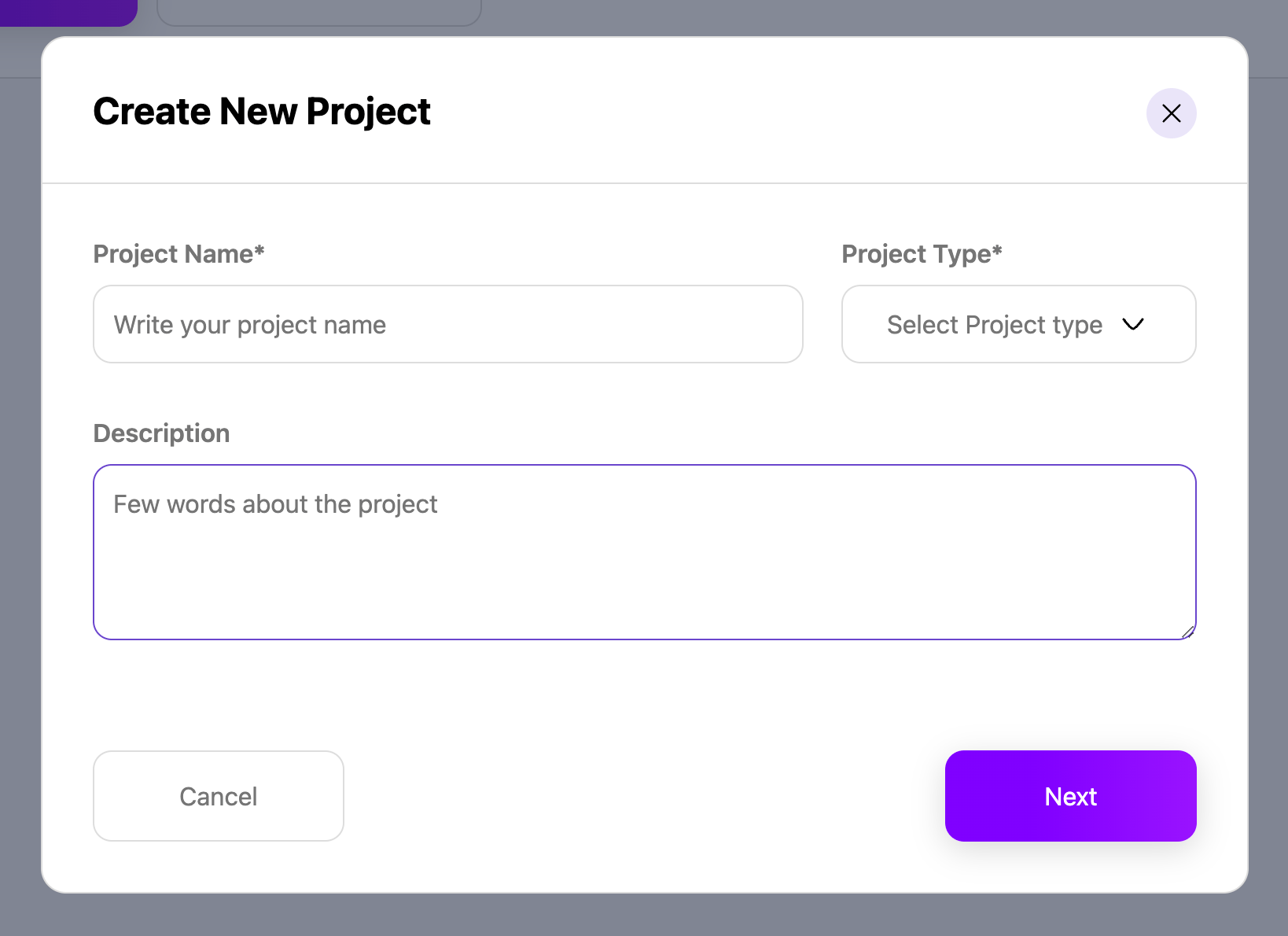 * **Project Name**: A unique name for the project.
* **Project Type**: Options include:
* `ERC20`
* `NFT`
* `dojSolTransfer`
* `dojSolDataTransfer`
* **Description**: A brief description of the project. (optional)
#### Step 2: Chain Selection
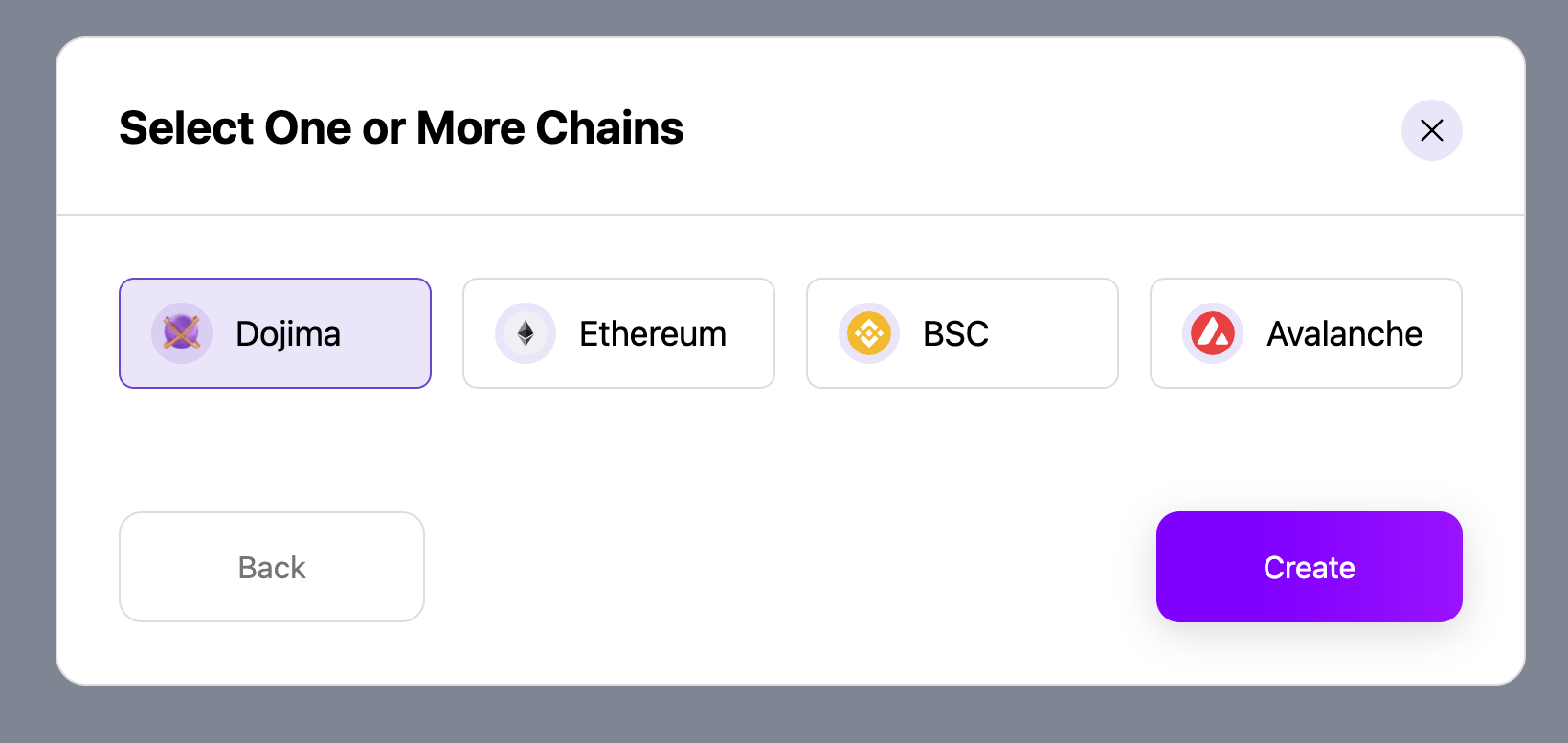
* The user selects at least one chain from the available options and create.
* **Project Name**: A unique name for the project.
* **Project Type**: Options include:
* `ERC20`
* `NFT`
* `dojSolTransfer`
* `dojSolDataTransfer`
* **Description**: A brief description of the project. (optional)
#### Step 2: Chain Selection
* The user selects at least one chain from the available options and create.
 #### Step 3: Project Created
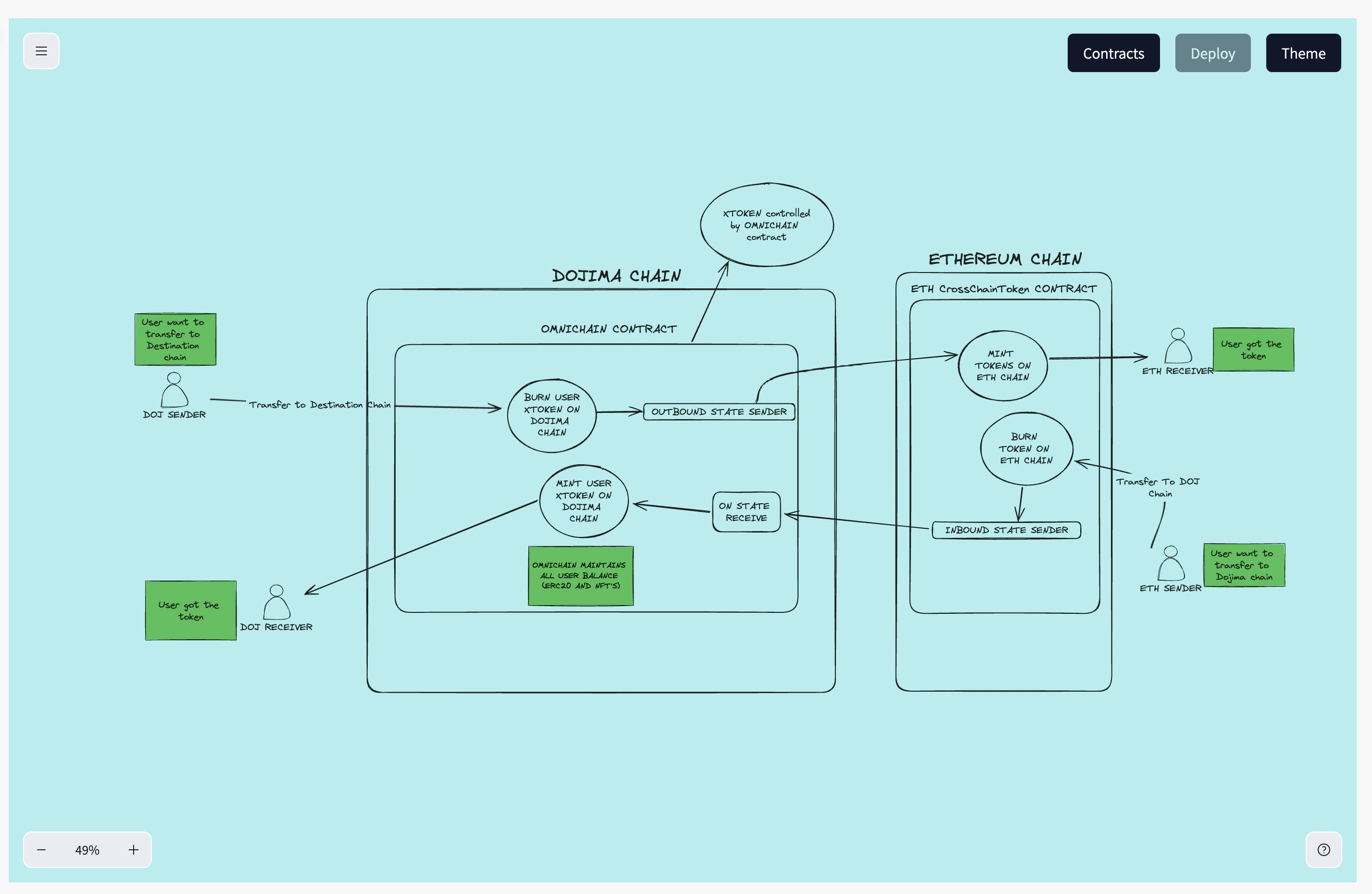
* The project is successfully created, and the user is redirected to **XChain Connections** to view and manage the newly created project.
#### Step 3: Project Created
* The project is successfully created, and the user is redirected to **XChain Connections** to view and manage the newly created project.
 ***
### Create a Project from Templates
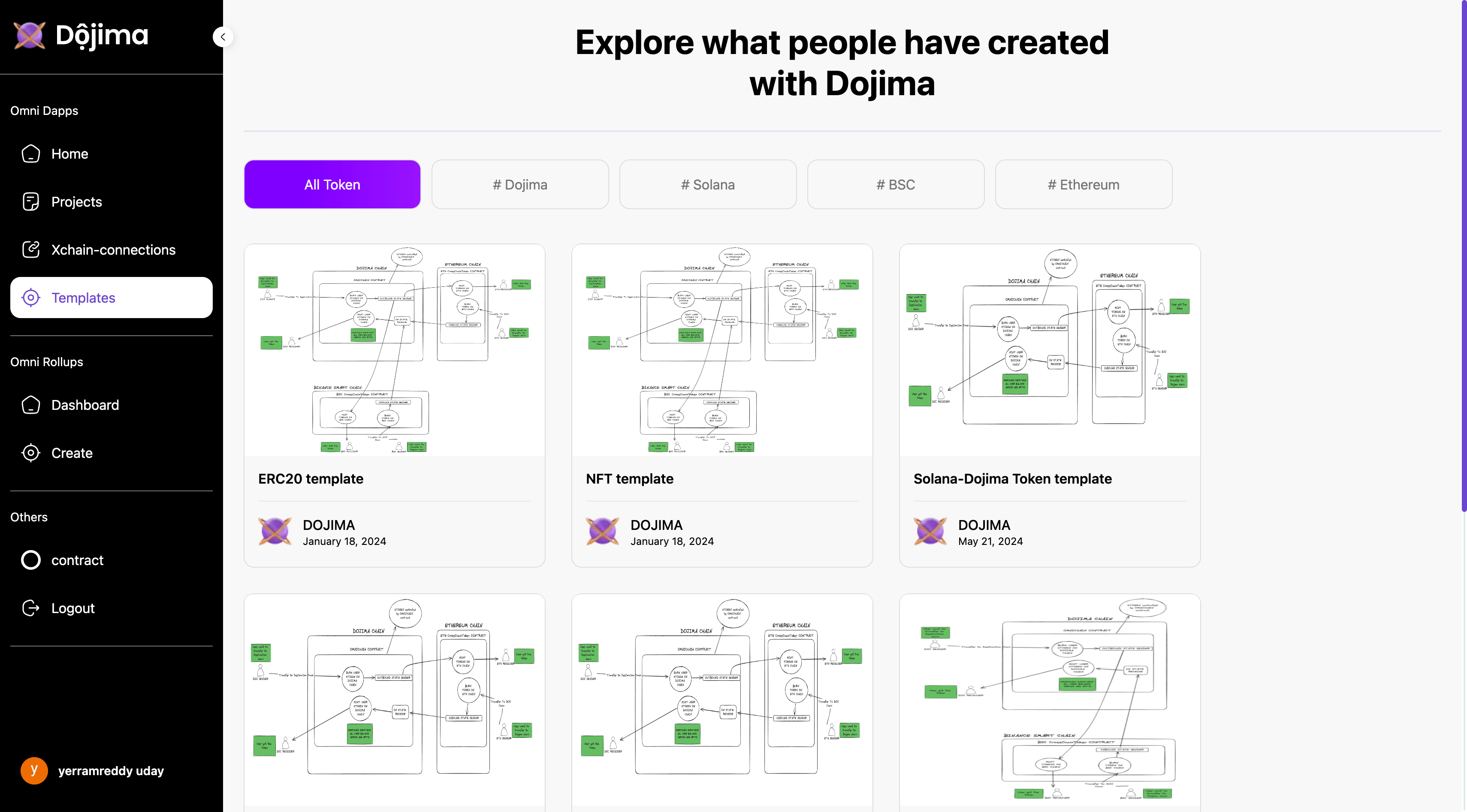
* Alternatively, the user may choose **Templates** from the home page instead of creating a project from scratch.
* The user can browse and select from existing templates to create a new project and user is redirected to xchain-connections.
***
### Create a Project from Templates
* Alternatively, the user may choose **Templates** from the home page instead of creating a project from scratch.
* The user can browse and select from existing templates to create a new project and user is redirected to xchain-connections.
 ***
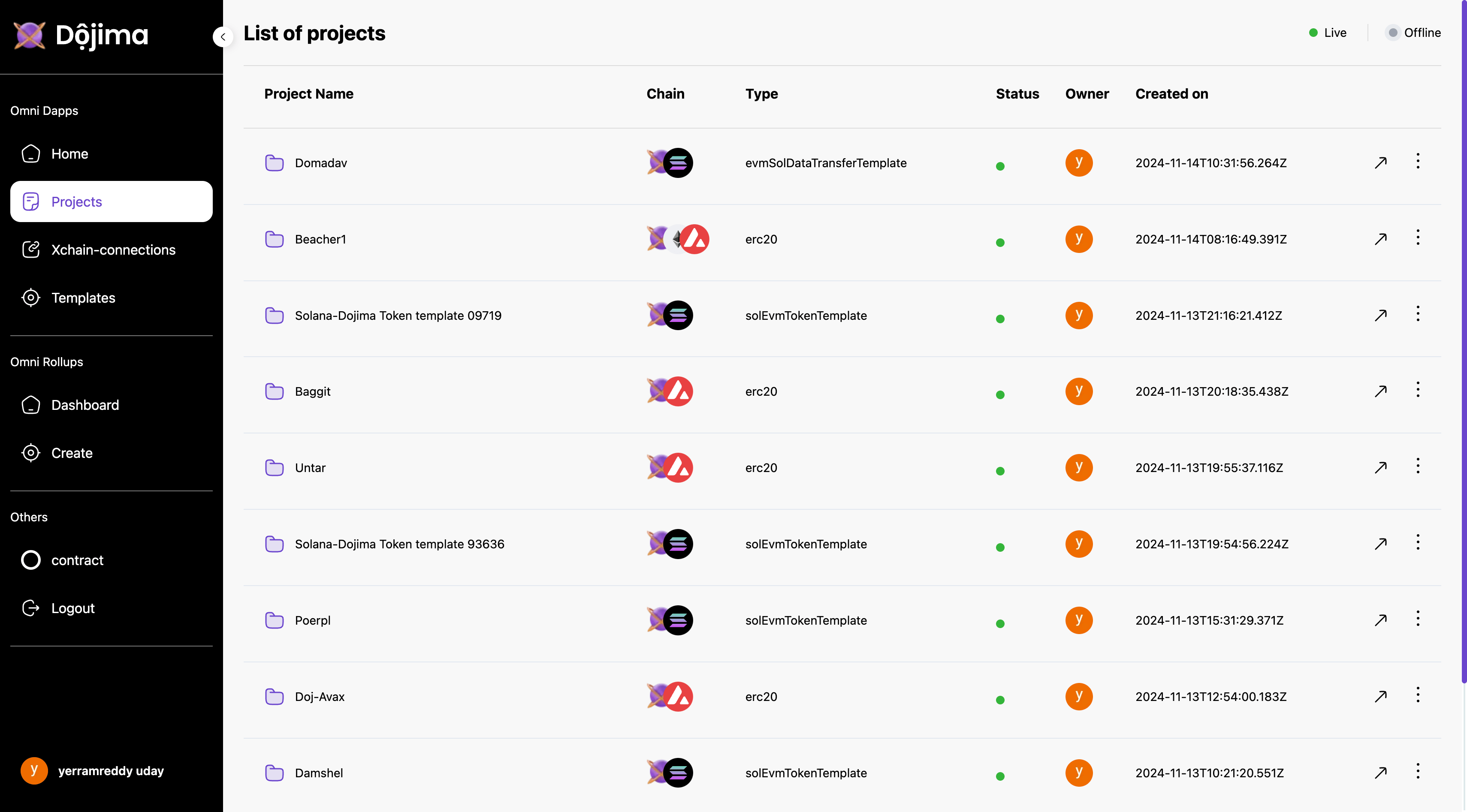
### List Of Projects
The **Projects** section allows users to view, manage, edit and delete an existing projects. Users can explore detailed information about each project and make changes as necessary.
### Project Details
The following fields are displayed for each project:
* **Project Name**: The name assigned to the project.
* **Chain**: The blockchain network associated with the project.
* **Type**: The project type (e.g., `ERC20`, `NFT`, `dojSolTransfer`, `dojSolDataTransfer`).
* **Status**: The current status of the project (e.g., Active, Inactive).
* **Owner**: The owner or creator of the project.
***
### List Of Projects
The **Projects** section allows users to view, manage, edit and delete an existing projects. Users can explore detailed information about each project and make changes as necessary.
### Project Details
The following fields are displayed for each project:
* **Project Name**: The name assigned to the project.
* **Chain**: The blockchain network associated with the project.
* **Type**: The project type (e.g., `ERC20`, `NFT`, `dojSolTransfer`, `dojSolDataTransfer`).
* **Status**: The current status of the project (e.g., Active, Inactive).
* **Owner**: The owner or creator of the project.